 SimSmsBox
 Quick answer: An MFA fatigue attack (also called push bombing) is when an attacker who already has your password spams you with endless “approve login?” push notifications, hoping you’ll tap “approve” out of annoyance, confusion, or just to make them stop. It exploits people, not technology. The defenses: never approve a prompt you didn’t start, use number-matching push or codes instead of one-tap approval, and know that a flood of prompts means your password is already compromised.
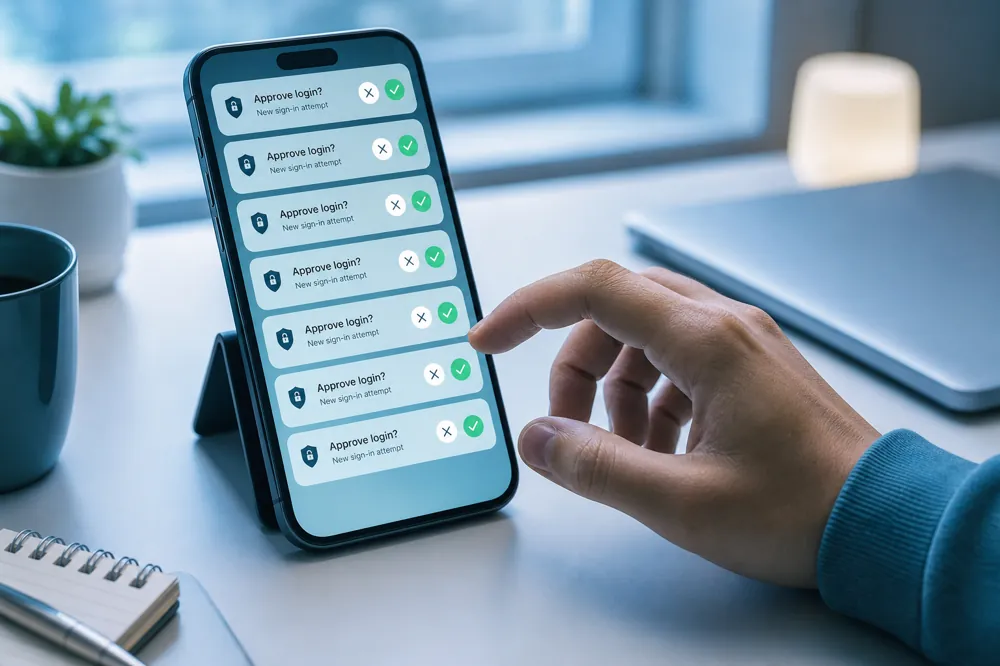
Push-based 2FA is meant to be easy: tap “yes, it’s me” and you’re in. MFA fatigue turns that convenience into the weakness. The attacker has your password and just needs one careless tap — so they send prompt after prompt until you give in. Here’s how the attack works and how to shut it down.
1. How push bombing works
The attack has a simple, ugly logic:
- The attacker already knows your password (from a breach, phishing, or credential stuffing).
- They repeatedly try to log in, which fires a push “approve?” notification to your phone each time.
- Prompts pile up — during a meeting, in the middle of the night, dozens in a row.
- Eventually you tap “approve” to stop the noise, or assume it’s a glitch — and they’re in.
The technology worked perfectly; the human got worn down. That’s why it’s called fatigue.
2. Why one-tap push is the vulnerable part
The weakness is specifically the “approve/deny” push that needs no thought. Compare the common second factors:
| Second factor | Vulnerable to fatigue? |
|---|---|
| One-tap push approval | Yes — the target of the attack |
| Number-matching push | Much less — you must enter a shown number |
| SMS / app code | No — attacker never receives the code |
| Passkey / hardware key | No — requires your device/biometric |
Notice that a code factor is immune: with SMS or an authenticator, the attacker would need the actual code, which never reaches them. Fatigue only works when approval is a reflexive tap. This is a key nuance in the push vs SMS trade-off.
3. How to defend against it
- Never approve a prompt you didn’t trigger. If a login request appears when you’re not logging in, deny it — every time.
- Treat a flood of prompts as an alarm: it means your password is already known. Change it immediately.
- Switch to number-matching push or codes if your service offers them, so approval can’t be a mindless tap.
- Report repeated prompts to the service or your IT team; it signals an active attack.
The mindset shift: an unexpected 2FA prompt isn’t noise to dismiss — it’s evidence someone has your password.
4. What this means if you receive codes online
MFA fatigue specifically targets push approval, not codes. If you receive codes online without a SIM, you’re using a code-based factor — the attacker never sees your code, so there’s nothing for them to spam you into approving. Code factors sidestep fatigue by design.
The broader lesson holds for any factor: only complete a verification you initiated. A code that arrives when you’re not logging in — like an unexpected push — is a red flag that your password is out there, not a prompt to act on.
FAQ
Q: What is MFA fatigue / push bombing? An attack where someone with your password floods you with push-approval requests until you tap “approve” by mistake or annoyance, granting them access.
Q: Does it work against SMS or authenticator codes? No. Fatigue relies on one-tap approval. With codes, the attacker never receives the code, so spamming prompts gets them nowhere.
Q: What should I do if I get a flood of login prompts? Deny them all, assume your password is compromised, and change it right away. Then consider switching to number-matching push or a code-based factor.
Takeaway
MFA fatigue floods you with push-approval prompts hoping you’ll tap “approve” to make them stop — an attack on your patience, not your technology. Defeat it by never approving a login you didn’t start, treating a prompt flood as proof your password leaked, and favoring code-based factors, which an attacker can never spam you into handing over.