 SimSmsBox
 Quick answer: A flash call verifies your number with a very short automated phone call instead of a text message — your app reads the caller’s number (or its last digits) and confirms it automatically, so you often never even pick up. It’s faster and cheaper for apps than SMS, but it only works for confirming a number you already control, not for receiving a code you can type in somewhere else. For that, SMS OTP is still the tool.
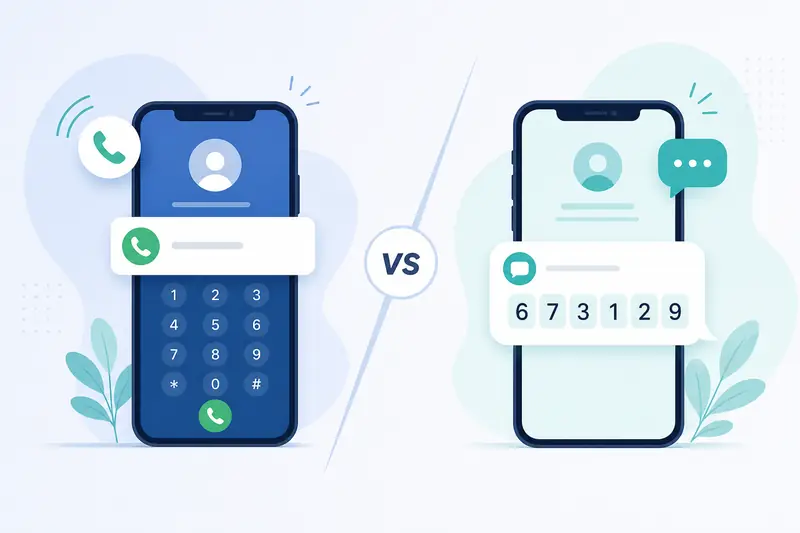
If you’ve ever seen an app say “we’ll call you to verify” and the call ended before you could answer, you’ve met flash call verification. It’s spreading fast because it saves apps money, but it behaves very differently from a normal SMS OTP code. Here’s how it works and when each one matters.
1. What a flash call actually is
A flash call is a missed call on purpose. The app’s provider dials your number from a specific phone number, lets it ring for a second or two, then hangs up. The verification isn’t in a spoken code — it’s in the caller ID itself. The app compares the incoming number (usually the last few digits) against what it expects, and if they match, your number is confirmed.
On Android, apps with call-log permission can read this automatically, so the whole thing happens silently. On iOS, Apple restricts call-log access, so flash calls usually fall back to asking you to type the last digits, or the app skips them entirely and uses SMS.
2. Flash call vs SMS: the practical differences
| Factor | Flash call | SMS OTP |
|---|---|---|
| What you receive | An incoming missed call | A text with a code |
| Where the “secret” lives | In the caller’s phone number | In the message body |
| Speed | Near-instant, often silent | A few seconds, needs the text to arrive |
| Cost to the app | Much cheaper | Higher per message |
| Works on any device | No (iOS limits it) | Yes |
| Can you use it on another device | No | Yes |
The last row is the one that matters most for anyone doing verification deliberately: a flash call must land on the same phone that’s running the app, because the app is reading the call log locally. You can’t forward a missed call the way you can read out a text code.
3. Why apps are switching to flash calls
The appeal is money and friction. A flash call costs a provider a fraction of an SMS, and because nothing is “sent” to read, there’s no delivery delay or code to mistype. It also sidesteps some SMS pumping fraud risk, since there’s no per-message revenue for fraudsters to farm.
The trade-off is coverage: flash call only works cleanly where the OS allows automatic call-log reading, so most services keep SMS as the fallback. That’s why you’ll still see “Didn’t get the call? Send a code instead.”
4. What it means if you receive codes online
This is the important part if you rely on online numbers. Because a flash call is confirmed on the device that receives the call, a web panel that only shows you incoming SMS usually can’t complete a flash-call check — there’s no text to display. So:
- If a service uses flash call and offers no SMS fallback, an SMS-only online number won’t work.
- Most mainstream services still offer SMS as an alternative, which keeps receiving codes online without a SIM viable.
- When you can choose, picking the SMS option is what makes the code readable outside the phone.
FAQ
Q: Do I need to answer the flash call? Usually not. The verification is the caller’s number, not anything spoken, so most flash calls verify even if you never pick up.
Q: Why does my iPhone ask me to type digits but my friend’s Android doesn’t? iOS blocks automatic call-log reading, so iPhones fall back to manual entry or SMS, while Android apps with permission can read it silently.
Q: Is a flash call more secure than SMS? It has a smaller fraud surface, but it’s still tied to controlling the number’s SIM — so it shares risks like SIM swap attacks.
Takeaway
Flash call verification is a cheaper, faster way for apps to confirm a number you already hold, and it’s spreading quickly. But because the “code” is the caller ID read on the receiving device, it can’t be typed in elsewhere — so SMS OTP remains the flexible choice whenever you need a code you can actually read and enter.